
Comparison
TaskBoard vs Jira
TaskBoard is a Jira alternative for teams that want accountability and reporting without heavyweight administration or seat-based pricing pressure.
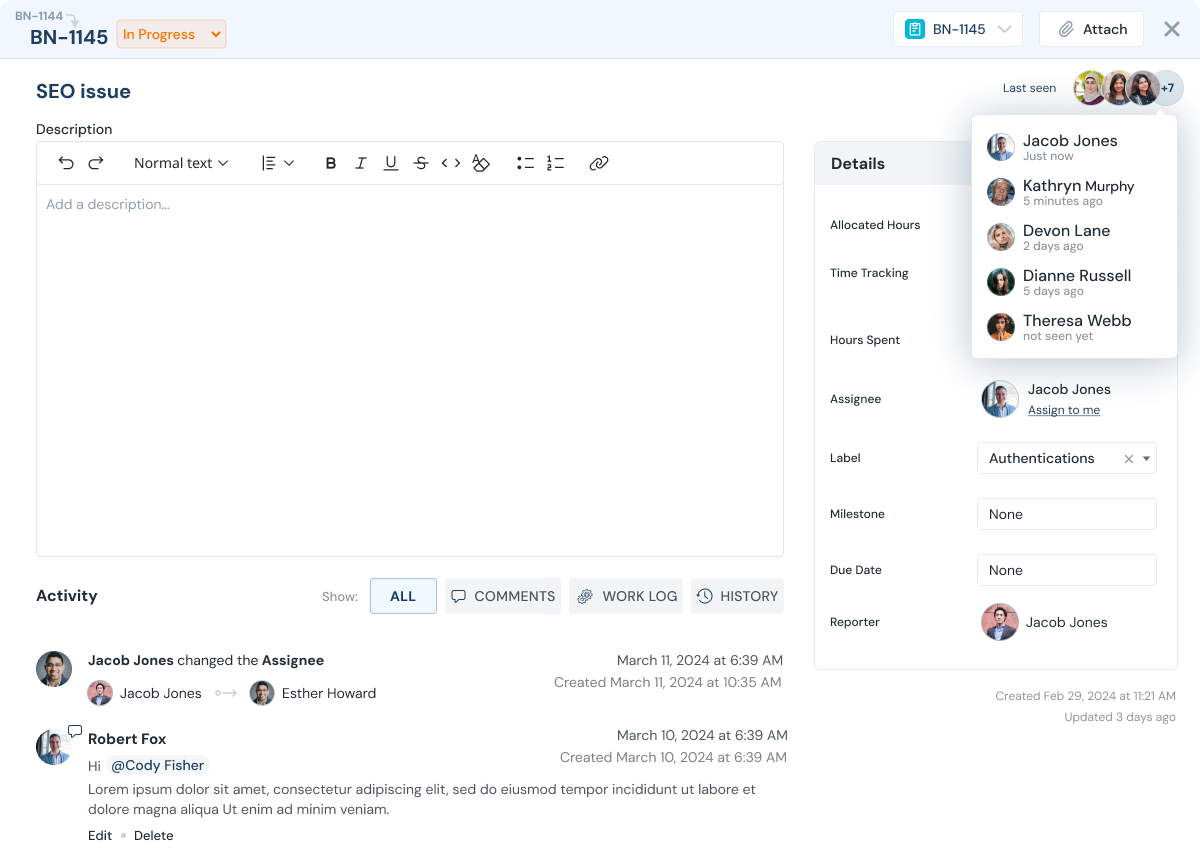
Quick fit check
Which Tool Fits Your Workflow?
Most teams compare tools for three reasons: easier adoption, clearer reporting, and predictable cost as collaboration grows.
Choose TaskBoard if...
- You want predictable flat fee company pricing instead of per-seat growth costs.
- You need built-in time tracking and worklogs for accountability.
- You collaborate with clients, vendors, or contractors and need controlled access.
- You want simple adoption without heavy setup overhead.
Choose Jira if...
- You are deeply invested in existing Jira workflows and extensions.
- Your team accepts seat-based pricing as collaboration scales.
- You prefer to keep current process conventions unchanged.
- Your current implementation already fits your reporting and governance needs.
Pricing model
Pricing Model Impact
As teams grow, pricing mechanics directly affect collaboration quality. TaskBoard keeps pricing predictable so adding contributors does not require seat-by-seat budget approval.
| Category | TaskBoard | Jira |
|---|---|---|
| Pricing structure | Flat fee per company plan | Plan and seat structure varies |
| External collaboration | Invite clients/contractors with access control | Access and cost depend on plan setup |
| Worklogs and reporting | Built in as a core workflow | Depth depends on setup and tier |
Feature comparison
Capability Comparison
| Capability | TaskBoard | Jira |
|---|---|---|
| Task ownership + status clarity | Yes | Yes |
| Built-in time tracking + worklogs | Yes | Varies by setup |
| Flat-fee collaboration model | Yes | No (plan-dependent) |
| Client and contractor collaboration | Yes, with access control | Varies by workspace policy |
| Leadership reporting workflow | Built in | Varies by setup |
Migration path
Migration in Phases
Most teams migrate one workflow first, validate adoption, then expand. TaskBoard supports this phased approach so you do not need a risky cutover.
Step 1
Pick one team or workflow and recreate core statuses and fields.
Step 2
Import active work and align ownership and reporting cadence.
Step 3
Expand to additional teams once adoption and reporting quality are stable.
Role outcomes
Role Impact

Individual contributors
Need clear ownership and simple workflow updates without tool overhead.

Managers
Need workload clarity, delay visibility, and predictable execution reporting.

Leadership
Need cross-team reporting and pricing predictability as collaboration expands.

Clients and stakeholders
Need scoped visibility into real progress without fragmented communication.
FAQ
Comparison FAQs
Questions teams ask when deciding between TaskBoard and Jira.
Is TaskBoard priced per user like many alternatives?
No. TaskBoard uses flat fee company pricing with no per-user fee so collaboration cost stays predictable.
Can we migrate in phases?
Yes. Most teams start with one workflow, validate adoption, then expand.
Can clients and contractors be included?
Yes. TaskBoard supports external collaborators with access controls.
Try it with your workflow
Evaluate TaskBoard with real team scenarios.
Start a 30-day trial or request a tailored walkthrough.