
Features
Project Management Features Built for Clear Execution
If your team is juggling tasks, updates, and reporting across multiple tools, this is where you can see project management features in TaskBoard that bring workflow, worklogs, time tracking, and visibility into one easy-to-adopt system.
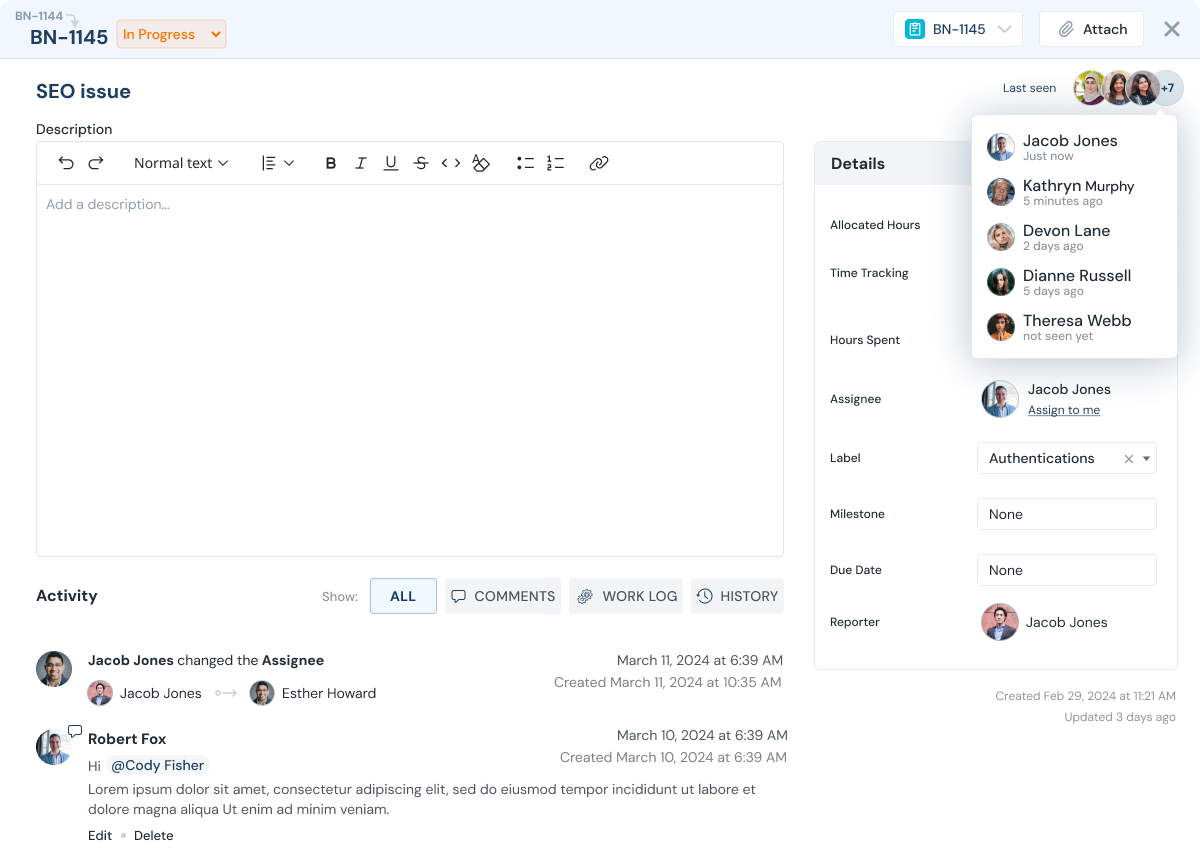
Feature highlights
Core Features for Daily Execution


Resource utilization
Workload and backlog visibility; balance the load.
Explore Resource utilization

Why it matters
Why One Workflow Improves Delivery
Teams perform better when planning, execution, and reporting happen in one system. TaskBoard keeps worklogs, time tracking, and delivery visibility inside the workflow so adoption is easier and reporting is more reliable.
- Time tracking and worklogs improve accountability.
- Reporting gives leadership a trusted delivery view.
- Access control supports client and contractor collaboration.
- Flat-fee pricing keeps collaboration predictable as teams scale.
See it in action
See the End-to-End Flow
Review how teams use TaskBoard to capture requests, execute with ownership, and generate reliable reporting without heavy setup.
FAQ
Feature FAQs
Common questions teams ask before rollout.
Are all core features available in the flat fee company plan?
Yes. TaskBoard includes essential execution, collaboration, and reporting features under one company-wide plan with no per-user fee.
Can we invite clients and contractors?
Yes. Access controls let you share only relevant projects and tasks with external collaborators.
Does TaskBoard support time tracking and worklogs together?
Yes. Time tracking and worklogs are built into the workflow, which improves accountability and reporting quality.
Next step
Explore features with your real workflow.
Start a trial or request a guided walkthrough.