
Use Case
TaskBoard for Consulting Teams
TaskBoard is project management software for consultants who need consistent delivery, transparent worklogs, and billing-ready reporting without per-seat costs.
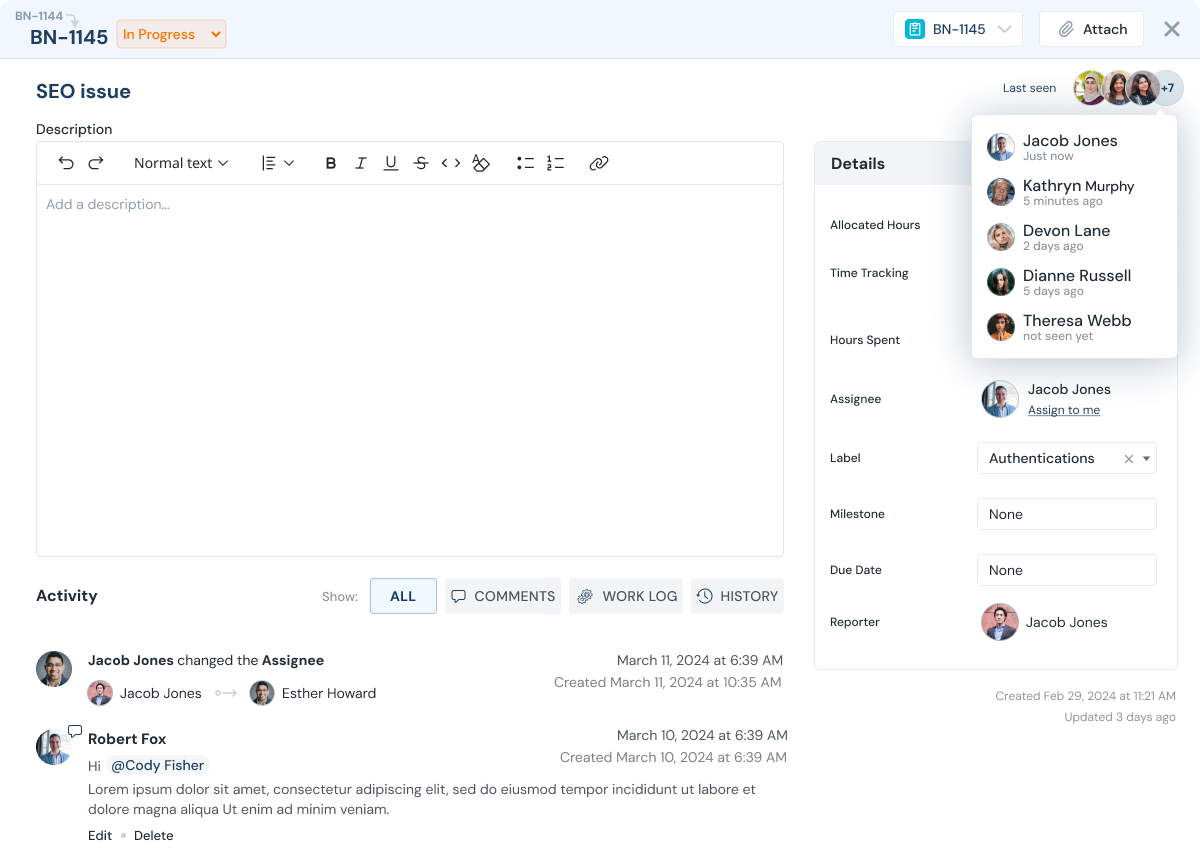
What teams struggle with
Consulting engagements drift when deliverables, time, and reporting are disconnected.
When teams juggle multiple clients, it is easy to lose track of what is in flight, what shipped, and what time was spent.
TaskBoard keeps deliverables, milestones, and worklogs connected so status and billing stay accurate.
- Parallel engagements create competing priorities
- Time capture is inconsistent and billing becomes stressful
- Clients ask for updates and proof of progress
- Per-user pricing makes it expensive to include clients and partners
How TaskBoard helps
Consulting Teams Outcomes That Matter
Deliver with fewer meetings and clearer proof.
Proof point: Teams can validate progress using task history, ownership updates, and worklogs without reconstructing status from separate tools.

Engagement visibility
See progress by client, milestone, or team - not just a pile of tasks.

Worklogs you can bill
Capture time + notes per task and export billable worklogs for invoices.

Resource balancing
Managers can see workload across the team and rebalance work before deadlines slip.

Client-friendly collaboration
Invite clients to follow progress, comment, and stay aligned without email threads.
Feature stack
Features That Power This Workflow
Explore the features most commonly used by consulting teams teams.





Execution flow
A simple engagement workflow from kickoff to invoice.
Keep deliverables organized by milestone, and let worklogs power weekly reporting.
Kickoff + scope
Create a project for the client and define milestones for each phase.
Assign ownership
Assign tasks to consultants and partners with clear due dates.
Log work daily
Worklogs capture time spent and notes so progress is measurable.
Share status with clients
Invite clients to see what is in progress, completed, and blocked.
Export billable work
Export billable worklogs and attach them to the invoice.
Demo
A walkthrough built for professional services.
See a consulting engagement workflow from kickoff to invoicing support.
Value model
Flat Fee Pricing, No Per-User Fee
Include internal teams, contractors, and clients in one execution workflow without per-seat pricing friction.
FAQ
Consulting FAQs
Common questions from professional services teams.
Can we separate billable and non-billable work?
Yes. Track work at the task level and export the billable worklogs you need for invoicing and reporting.
Can clients collaborate without seeing everything?
Yes. Invite clients with limited access so they only see the projects and tasks you share.
Can we export worklogs for invoices?
Yes. Export billable worklogs to attach as line-item detail on invoices.
Does pricing increase as we add clients?
No. TaskBoard is a flat-fee plan per company, not per user.
Can we track milestones and budgets?
Yes. Milestones can be estimated and reviewed against actual worklogs to track budget variance.
Can managers load-balance work?
Yes. View assignments and backlog to rebalance across the team.
Next step
Run your next engagement in TaskBoard.
Start a 30-day trial or request a demo focused on worklogs, reporting, and billing.