
Use Case
TaskBoard for Field Teams
TaskBoard is task management software for field teams that need clear job ownership, worklogs, and simple reporting on a flat-fee plan.
What teams struggle with
Field work becomes hard to manage when updates live in texts, calls, and scattered notes.
When teams are on-site, in transit, or supporting customers, status updates can arrive late and important details get lost.
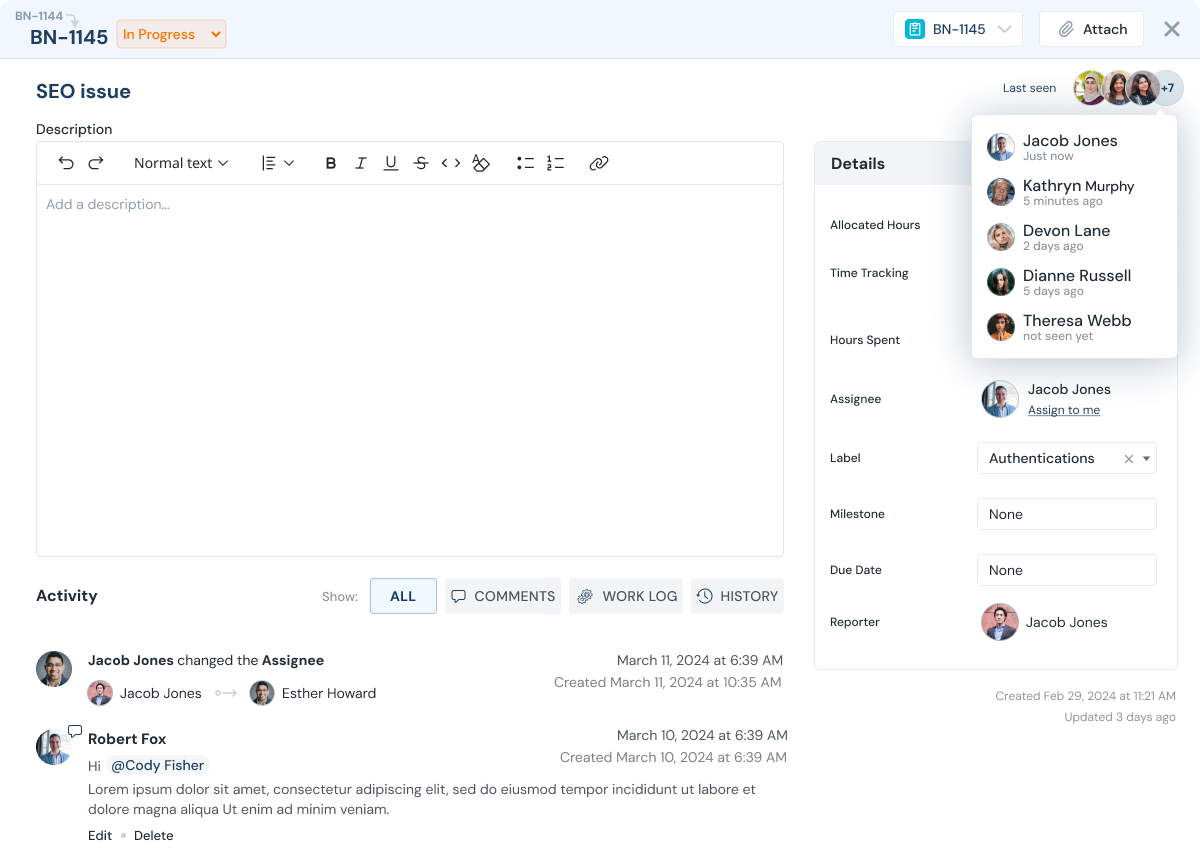
TaskBoard keeps jobs, owners, notes, and time logs together so operations and leadership stay aligned.
- Job status is unclear until someone calls for an update
- Time spent is hard to capture consistently
- Back-office teams cannot see what is blocked or in progress
- Contractors need access, but should not see unrelated work
How TaskBoard helps
Field Teams Outcomes That Matter
Get real-time visibility into jobs without micromanagement.
Proof point: Teams can validate progress using task history, ownership updates, and worklogs without reconstructing status from separate tools.
Clear job ownership
Every job has an owner and status so work stays visible.
Time logs in the same place
Worklogs capture time spent and notes per task for reporting or billing.
Stakeholder visibility
Operations and leadership can see progress without constant check-ins.
Limited contractor access
Invite contractors or temporary teams with limited visibility.
Feature stack
Features That Power This Workflow
Explore the features most commonly used by field teams teams.
Worklogs
Track time and notes per job or task.
Reporting
Report work by project, team, and time period.
Access control
Limit visibility for contractors or temporary teams.
Milestones
Group jobs into milestones and track delivery.
Execution flow
A job workflow from assignment to completion.
Assign jobs, log work on tasks, and use reporting to keep stakeholders aligned.
Create jobs as tasks
Capture job details and context in one place.
Assign owners
Assign jobs to team members or contractors with clear due dates.
Update status and log work
Add worklogs with time spent and notes as work happens.
Review progress
Managers can track what is in progress, blocked, and completed.
Export reports (if needed)
Export worklogs for billing or operational reporting.
Demo
See job tracking with worklogs.
See how field teams track jobs and worklogs with clear stakeholder visibility.
Value model
Flat Fee Pricing, No Per-User Fee
Include internal teams, contractors, and clients in one execution workflow without per-seat pricing friction.
FAQ
Field team FAQs
Common questions from field operations teams.
Can we track time spent on jobs?
Yes. Worklogs track time and notes per task so you can report or bill accurately.
Can contractors see only assigned work?
Yes. Invite contractors with limited access so they only see the projects and tasks you share (for example, tasks assigned to them).
Can managers see what is in progress?
Yes. Task status and assignments make it easy to see what is blocked, in progress, and completed.
Do you charge per user?
No. TaskBoard is a flat-fee per company plan, so adding more collaborators does not increase cost.
Can we export worklogs for billing?
Yes. Export billable worklogs and attach them to invoices if you need billing proof.
Can we run internal and field work together?
Yes. Many teams track internal coordination and field jobs in the same system using separate projects or boards.
Next step
Get visibility into field work with TaskBoard.
Start a 30-day trial or request a demo focused on job tracking, worklogs, and reporting.