
Use Case
TaskBoard for Remote Teams
TaskBoard is project management software for remote teams that need async task capture, worklogs, and leadership visibility without constant meetings.
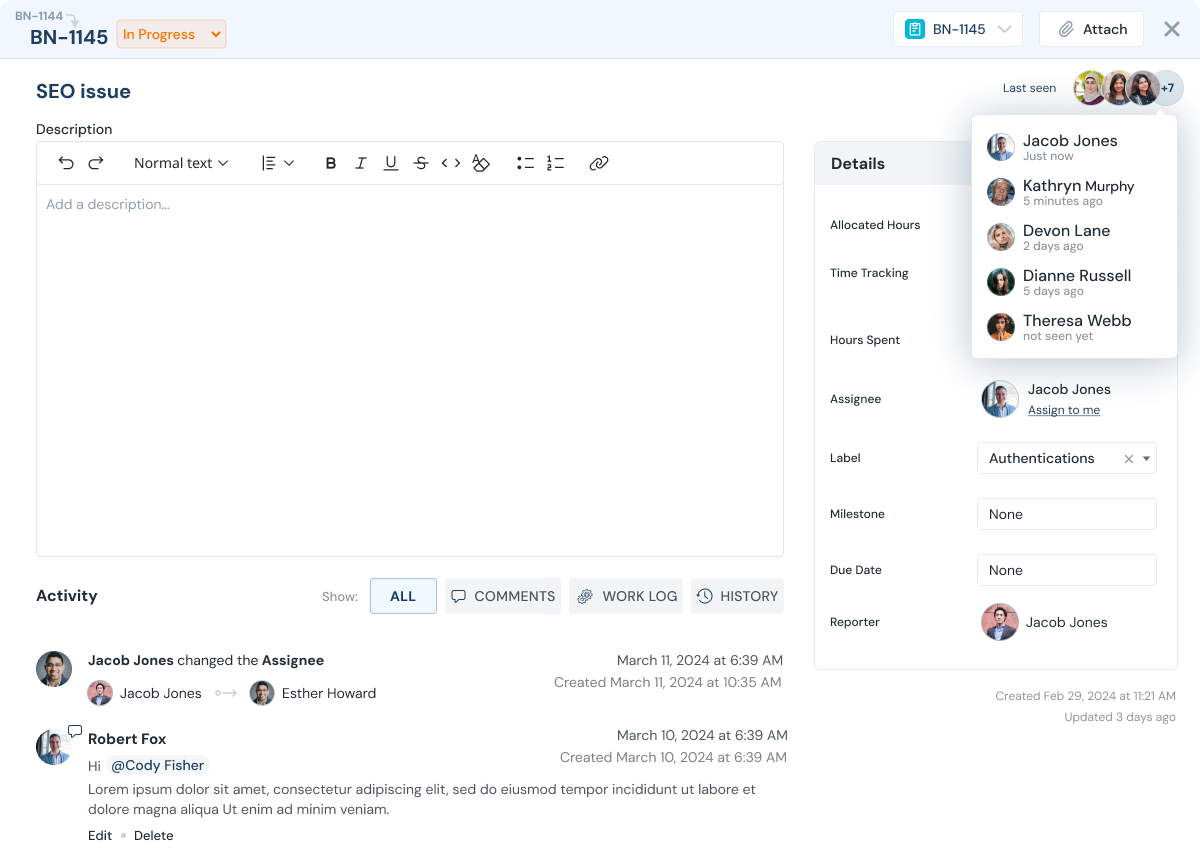
What teams struggle with
Remote teams struggle when tasks and progress live in chat instead of a system of record.
In distributed teams, context is scattered and time zones make live coordination expensive.
TaskBoard turns async communication into owned tasks and measurable worklogs, so leaders can see progress without interrupting focus.
- Requests and decisions disappear in Slack threads
- Status meetings fill the calendar because progress is unclear
- Managers cannot easily see workload and backlog across time zones
- Individuals need a private place to plan without losing shared accountability
How TaskBoard helps
Remote Teams Outcomes That Matter
Stay aligned with fewer meetings and clearer accountability.
Proof point: Teams can validate progress using task history, ownership updates, and worklogs without reconstructing status from separate tools.
Slack capture, instantly
Create tasks from Slack messages so requests do not get lost.
Daily visibility via worklogs
Require worklogs so you can see what got done by project, team, and person.
Private planning for focus
Use the personal planner to prioritize work privately and keep notes that are not visible to others.
Better load balancing
Managers can view assignments and backlog to rebalance work based on capacity.
Feature stack
Features That Power This Workflow
Explore the features most commonly used by remote teams teams.
Slack to Task
Turn Slack messages into tasks with context.
Worklogs
Log time and notes on tasks for async accountability.
Reporting
See work completed by project, team, or member.
Personal planner
Private prioritization and notes for deep work.
Access control
Invite stakeholders with limited visibility when needed.
Execution flow
An async workflow that replaces daily status meetings.
Capture tasks, assign owners, and rely on worklogs for progress visibility.
Capture tasks
Send a Slack message to TaskBoard to create a task with context.
Assign owners and due dates
Make responsibility clear so work moves forward asynchronously.
Log work as it happens
Team members add worklogs with time spent and notes.
Review progress in minutes
Leaders can review daily or weekly worklog reports to see what got done.
Adjust priorities
Use reports to shift focus when time is drifting to less important work.
Demo
See async task capture and reporting.
See how remote teams run async execution with worklogs and reporting.
Value model
Flat Fee Pricing, No Per-User Fee
Include internal teams, contractors, and clients in one execution workflow without per-seat pricing friction.
FAQ
Remote team FAQs
Common questions from distributed teams.
Does TaskBoard work across time zones?
Yes. Capture tasks asynchronously and use worklogs and reporting for visibility without constant meetings.
Can we create tasks from Slack?
Yes. Slack to Task lets you turn a Slack message into a task with context.
Are worklogs required?
Many teams require worklogs to improve accountability and simplify progress reporting, especially in remote environments.
Is the personal planner private?
Yes. Work you pick up in your personal planner and notes you write there are private and not visible to others.
Can managers see workload?
Yes. Managers can see who is working on what and how much backlog each person has.
Do you charge per user?
No. TaskBoard is flat-fee per company, so adding collaborators does not increase cost.
Next step
Run your remote workflow on one system of record.
Start a 30-day trial or request a demo focused on Slack capture, worklogs, and reporting.